Reports
Vendor report catalog: content and scope of order report, order aging, and packages without a carrier reports.
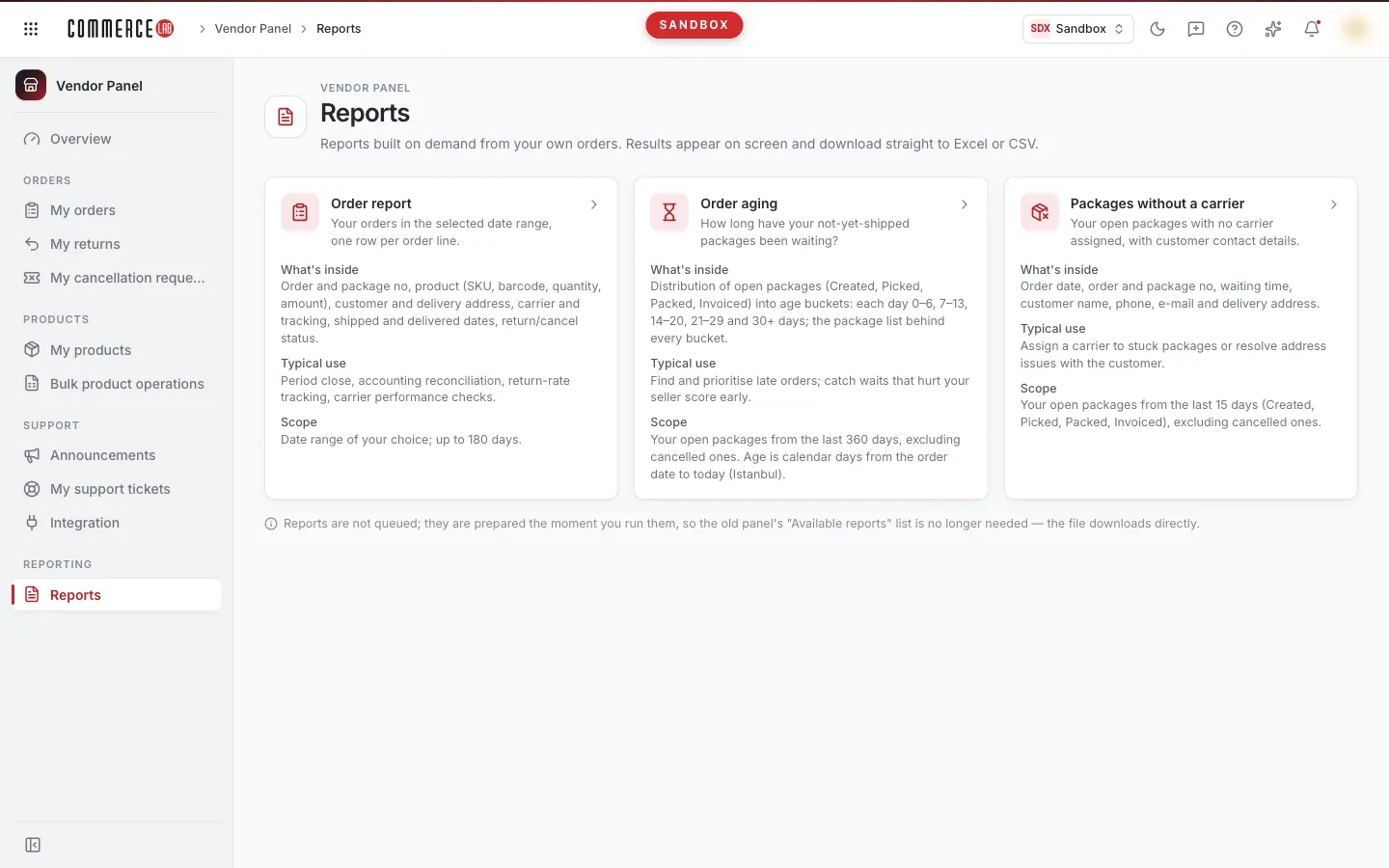
The Reports screen is a catalog of reports prepared from your orders as a vendor. Each report is listed as a card; the card shows what the report contains, its typical use, and the period it covers. Clicking the card opens the report run page. Reports are not queued: they are prepared immediately upon running, the result appears on screen, and can be downloaded immediately as Excel or CSV.
Accessing the screen
Select Vendor Panel › Reporting › Reports from the left menu.
Since reports are generated from your orders, the screen opens with permission to view your orders. If you do not see it in the menu, your account does not have permission for this screen.
Screen sections
- Title — Reports and below it the description Reports instantly generated from your own orders. Results appear on screen; downloaded immediately as Excel or CSV.
- Report cards — One card per report. The card header shows the report name and a short description, below which are three headings:
- Content — Information included in the report.
- Typical use — The purpose of the report.
- Scope — The period and packages covered by the report.
- Note — Below the cards, the explanation Reports are not queued; they are prepared immediately upon running. Therefore, the "Available reports" list from the old panel is not needed — the file downloads directly.
Reports
| Report | Content | Scope |
|---|---|---|
| Order report | Your orders in the selected date range, one row per product line: order and package number, product (SKU, barcode, quantity, amount), customer and delivery address, carrier and tracking info, shipping and delivery dates, return/cancellation status. | You select the date range; up to 180 days. |
| Order aging | How many days your open packages (Received, Picked, Packed, Invoiced) that have not yet shipped have been waiting: 0–6 days individually, 7–13, 14–20, 21–29, and 30+ day buckets and the package list for each bucket. | Your open packages in the last 360 days; excluding cancelled. Age is calendar days from order date to today (Istanbul). |
| Packages without a carrier | Your open packages without an assigned carrier: order date, order and package number, waiting time, customer name, phone, email, and delivery address. | Your open packages in the last 15 days (Received, Picked, Packed, Invoiced); excluding cancelled. |
When to use each report:
- Order report — Period closing, accounting reconciliation, return rate tracking, carrier performance check.
- Order aging — Find and prioritize delayed orders, catch waits that lower your vendor score early.
- Packages without a carrier — Assign carriers to stuck packages or resolve address issues with the customer.
Operations
Opening a report
- Click the card of the report you want to run.
- The report run page opens. Reports opened from the catalog do not run automatically; select the date range (only for Order report) and press the Run button.
If you have bookmarked the address of a previously run report, opening that link runs the report automatically with the same settings.
Settings, result screen, and export on the run page are explained in detail in the Running reports document.
Common situations
- The report I want is not in the list. The vendor panel offers these three reports. For other breakdowns, you can use filters on the My orders screen.
- I cannot find the "Available reports" list from the old panel. Since reports are no longer queued, this list is unnecessary; you see the result immediately and download the file directly.
- The report page says "exclusive to vendor accounts." Your account is not linked to a vendor; you can see the catalog but reports can only be run with a vendor account.
Related screens
- Running reports — Running reports, filtering results, and downloading.
- My orders — Details and operations for packages in reports.
- My return packages — Tracking returned packages.
- Overview — Summary page of the vendor panel.